 Kenya
Kenya Pakistan
Table of contents
The best apps to cash out USDT to M-Pesa, in my experience, are Dovo for speed and simplicity, Binance P2P for extremely large amounts, Bybit P2P and OKX P2P for small P2P orders, and MiniPay or Swypt if your USDT lives on Celo.
I get paid in USDT, like a lot of people in Kenya who work online. Holding dollars is easy. Turning them into shillings on M-Pesa, quickly and without getting scammed, is the part that still costs people time and money.
So I compared the apps people actually use, on the same simple job: send USDT in, get KES on M-Pesa out. I looked at 15 apps and kept the 6 that offer a way from USDT to M-Pesa for a person in Kenya. Here is what I found.
6 best apps to cash out USDT to M-Pesa: TL;DR
- Dovo: Best for fast, simple cash-outs.
- Binance P2P: Best for extremely large amounts.
- Bybit P2P: Best P2P for small amounts.
- OKX P2P: Best P2P with clear seller rules.
- MiniPay: Best for Celo stablecoin users.
- Swypt: Best for builders on Celo or Polygon.
Why cashing out USDT to M-Pesa is still hard
There is no M-Pesa button on most crypto exchanges. To get shillings, you either sell to another person or use a service that pays M-Pesa for you. Each path has its own traps:
- Strangers in the middle. On P2P, a buyer pays your M-Pesa and you release the USDT. Most trades go fine, but fake SMS and edited screenshots are a known scam.
- Minimums that are too high. Many P2P buyers ask for KES 1,000 or more per trade, which makes small payments hard to move.
- Hidden cost in the price. Few apps charge a visible fee. The cost sits in the rate, so you only see it if you compare what lands on M-Pesa.
- Wrong network, lost money. USDT exists on many networks. Sending on one the app does not support can lose the funds for good.
- Time. Waiting for a buyer, checking M-Pesa, releasing, chatting when it goes wrong. It adds up when you do it every week.
How I tested these apps
I compared every app on the same job: move USDT in, get KES out on M-Pesa. Where an app does not publish its Kenya terms (MiniPay and Swypt), I went by what it does publish and say so. I scored each one on five things that matter when you do this every week:
- Speed: time from tapping cash out to KES on M-Pesa.
- Effort: how many screens, choices and checks it takes, and whether you deal with another person.
- Minimum: the smallest amount you can move, since many payments are small.
- What lands: the shillings that actually reach M-Pesa, with every cost inside the rate.
- Risk: what can go wrong (fake payment proof, frozen funds, wrong network) and what the app does about it.
| App | Speed | Minimum | Deposit network | Cost |
|---|---|---|---|---|
| Dovo | Less than 2 minutes | 2 USDT | BSC (BEP-20) | No extra fees |
| Binance P2P | Set by the buyer, often 15 min | Set by the buyer | Many (BSC, Tron, more) | The buyer's price spread |
| Bybit P2P | 15 or 30 min window | From about KES 150 | Check in Bybit | The buyer's price spread |
| OKX P2P | 15 or 30 min window | From about KES 100 | Check in OKX | The buyer's price spread |
| MiniPay | Not published | Not published | Celo | Set by the partner |
| Swypt | Not published | Shown per quote | Celo, Polygon, more | Shown per quote |
Here is what stood out after I tested them:
- Only two apps pay M-Pesa directly: Dovo and Swypt. Binance, Bybit and OKX mean selling to another person, and MiniPay goes through partners.
- Bybit and OKX buyers take the smallest P2P orders, from about KES 100 to 150.
- Binance has buyers for extremely large orders, but some Kenyan accounts were frozen in April 2026.
- MiniPay and Swypt run on Celo and similar networks, so most exchange USDT needs moving first.
I also looked at Yellow Card, Paxful, Kotani Pay, Fonbnk, Bitnob, Busha, Bitget, KuCoin and Noones. Yellow Card closed its retail app at the end of 2025 and Paxful shut down in late 2025. The others either serve businesses only or have no official page for selling USDT to M-Pesa in Kenya, so they did not make the list.
My 2026 shortlist
| App | Best for | How it pays M-Pesa | Core strength |
|---|---|---|---|
| Dovo | Best for fast, simple cash-outs | Direct payout to your M-Pesa | No buyer to deal with, money usually lands in under 2 minutes |
| Binance P2P | Best for extremely large amounts | P2P: a buyer pays your M-Pesa | Buyers for orders worth millions of shillings |
| Bybit P2P | Best P2P for small amounts | P2P: a buyer pays your M-Pesa | Low buyer minimums and no P2P fee |
| OKX P2P | Best P2P with clear seller rules | P2P: a buyer pays your M-Pesa | Clear release and appeal rules |
| MiniPay | Best for Celo stablecoin users | Withdraw through partners | Very cheap transfers between wallets |
| Swypt | Best for builders on Celo or Polygon | Direct payout to M-Pesa | Kenyan company with an M-Pesa payout API |
Let me now walk you through each app in detail.
1. Best app to cash out USDT to M-Pesa fastTop pick
Dovo: What is it?
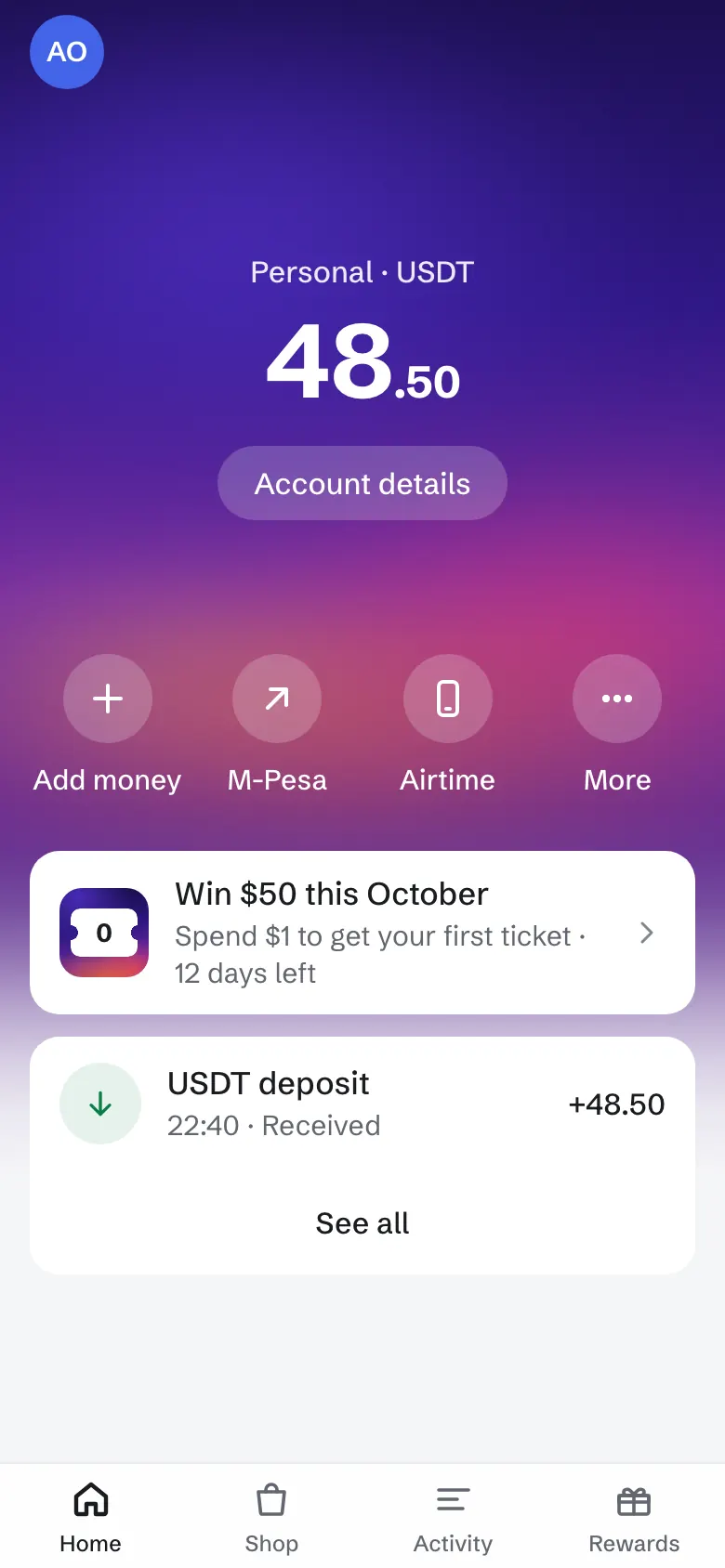
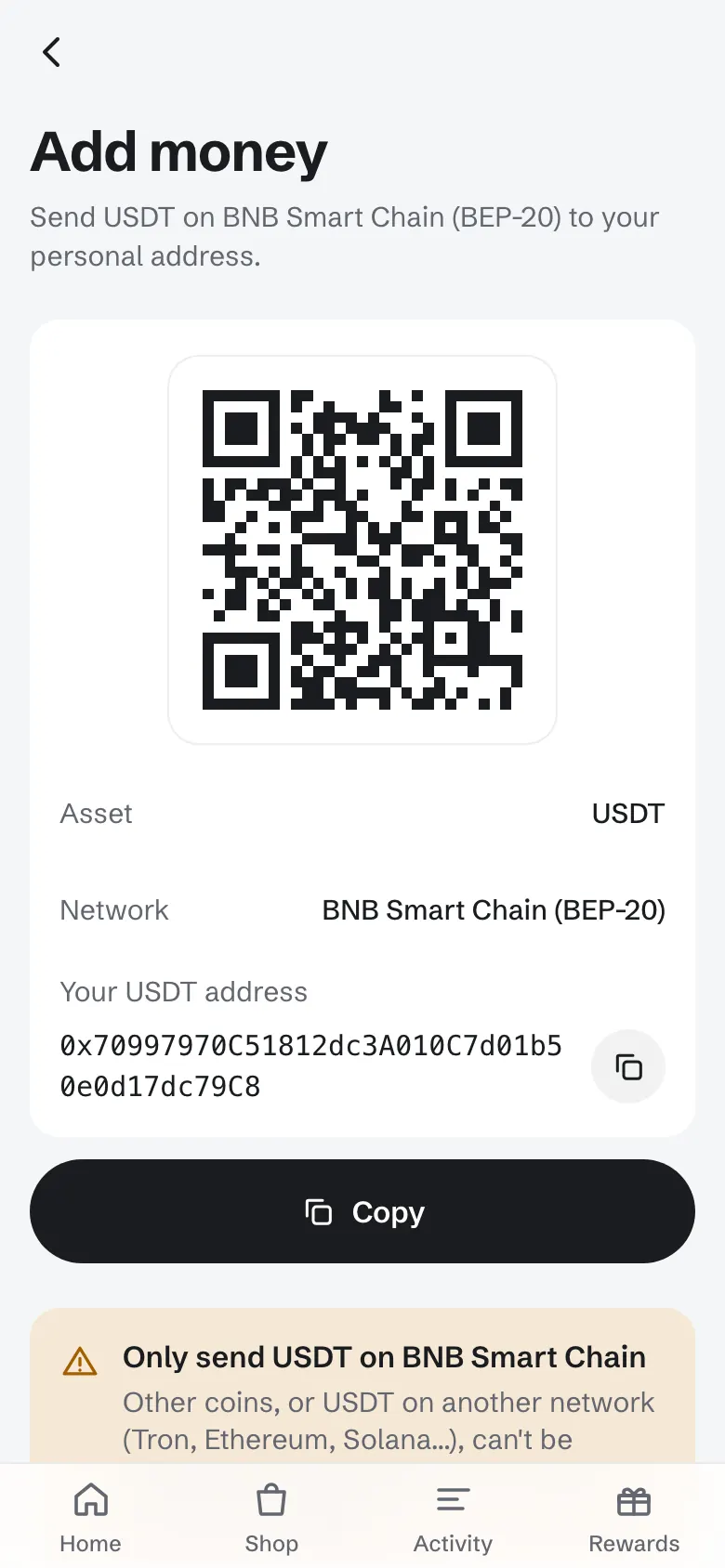
Dovo is a USDT wallet built for Kenya. You send USDT on BNB Smart Chain (BEP-20) to your own Dovo address, then cash out to M-Pesa, buy airtime or pay a Paybill or Till from the same balance.
Why I picked Dovo: It is the only app on this list where I go from opening the app to KES on M-Pesa without waiting on a stranger, and without a single screen I have to think about.
Ideal for: Anyone paid in USDT (freelancers, remote workers, creators, traders) who wants shillings on M-Pesa today, in a few taps, with the rate shown before they confirm.
I used to cash out on P2P, and it always went the same way: pick a buyer, wait for the payment, open M-Pesa to check it, then release. It works, but it needs your full attention every single time.
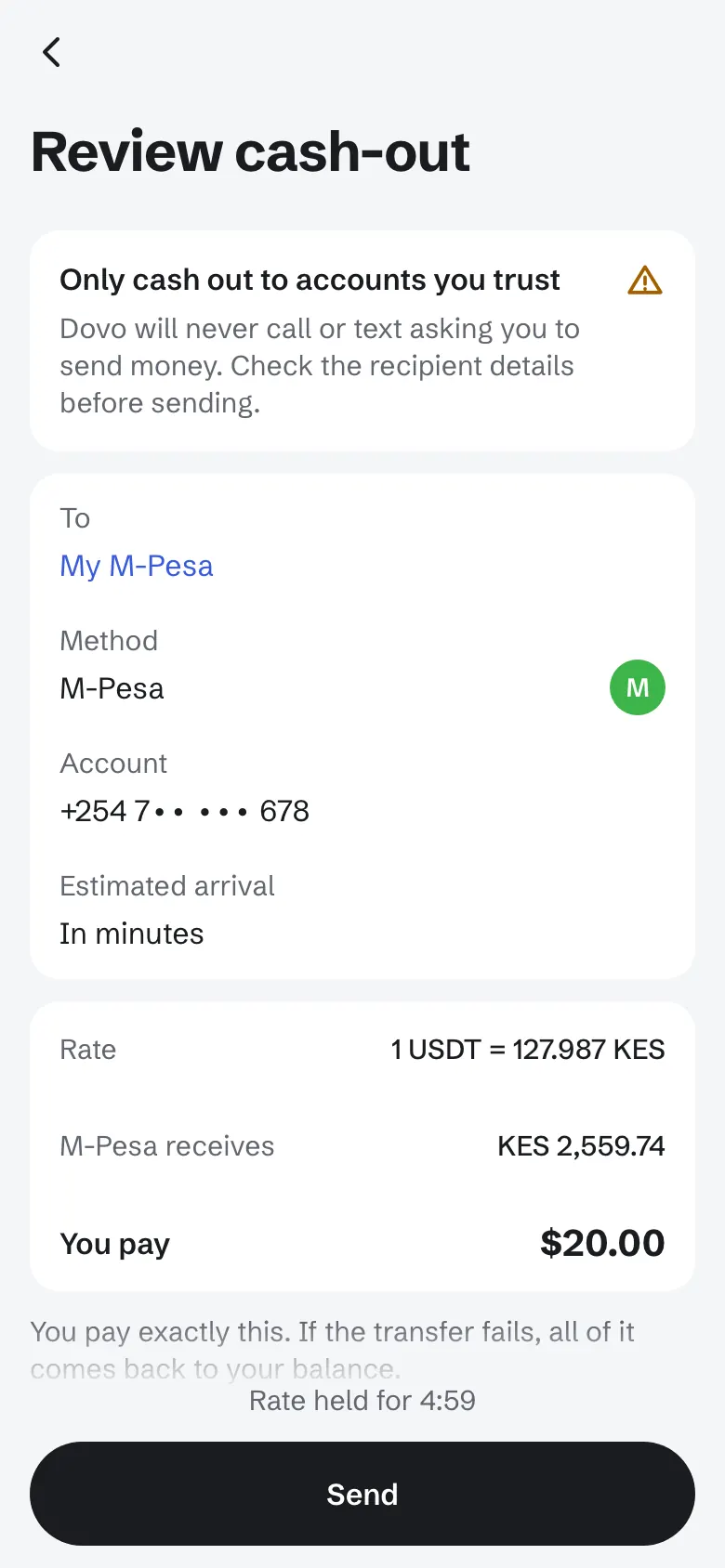
With Dovo I open the app, tap M-Pesa, type the amount and review. The screen shows the rate and exactly how many shillings M-Pesa receives before I confirm. In my tests the money landed in less than 2 minutes, and the deposit before it showed up within about a minute of BNB Smart Chain confirming it.
Dovo at a glance
- Speed
- Less than 2 minutes
- Minimum
- 2 USDT
- Deposit network
- BSC (BEP-20)
- Cost
- No extra fees
Why Dovo stands out
- Direct payout: Dovo pays your M-Pesa itself, so there is no buyer to wait for and nothing to release.
- Price shown first: The review screen shows the rate and the exact shillings before you confirm.
- Small amounts work: Cash out from 2 USDT, so a 10 USDT payment is as easy to move as 200.
- One balance, more uses: The same USDT buys airtime and pays Paybill and Till numbers.
How to cash out with Dovo
- Open Dovo and create your walletEnter your email and the code we send you. Then secure the account with a passkey or an authenticator app.
- Tap Add moneyCopy your address and send USDT on BNB Smart Chain (BEP-20). From Binance, pick the BSC (BEP20) network.
- Tap M-Pesa on the home screenThe first time, add your M-Pesa number and name. Then type the amount in USDT. The review screen shows the rate and what M-Pesa receives.
- ConfirmThe shillings usually arrive on M-Pesa in less than 2 minutes. If a payout is slower, the app tracks it, and the money comes back to your balance if it does not go through.
Pros
- Direct payout to M-Pesa, no buyer, no release button, no chat
- No extra fees on top of the rate: the exact KES amount is shown before you confirm
- Cash out from 2 USDT, so small payments are worth moving
- The same balance buys airtime and pays Paybill and Till numbers
- If a payout does not go through, the money goes back to your balance automatically
Cons
- Kenya and Pakistan only
- Deposits are USDT on BNB Smart Chain (BEP-20) only; other networks are not supported
2. Best app for extremely large USDT amounts
Binance P2P: What is it?
Binance P2P is the peer to peer market inside the Binance app. You sell USDT to another user, they send KES to your M-Pesa, and Binance holds your USDT in escrow until you release it.
Why I picked Binance P2P: Its M-Pesa buyers take extremely large orders, some up to millions of shillings per ad.
Ideal for: People who already keep USDT on Binance, move extremely large amounts, and are comfortable checking payments and releasing crypto themselves.
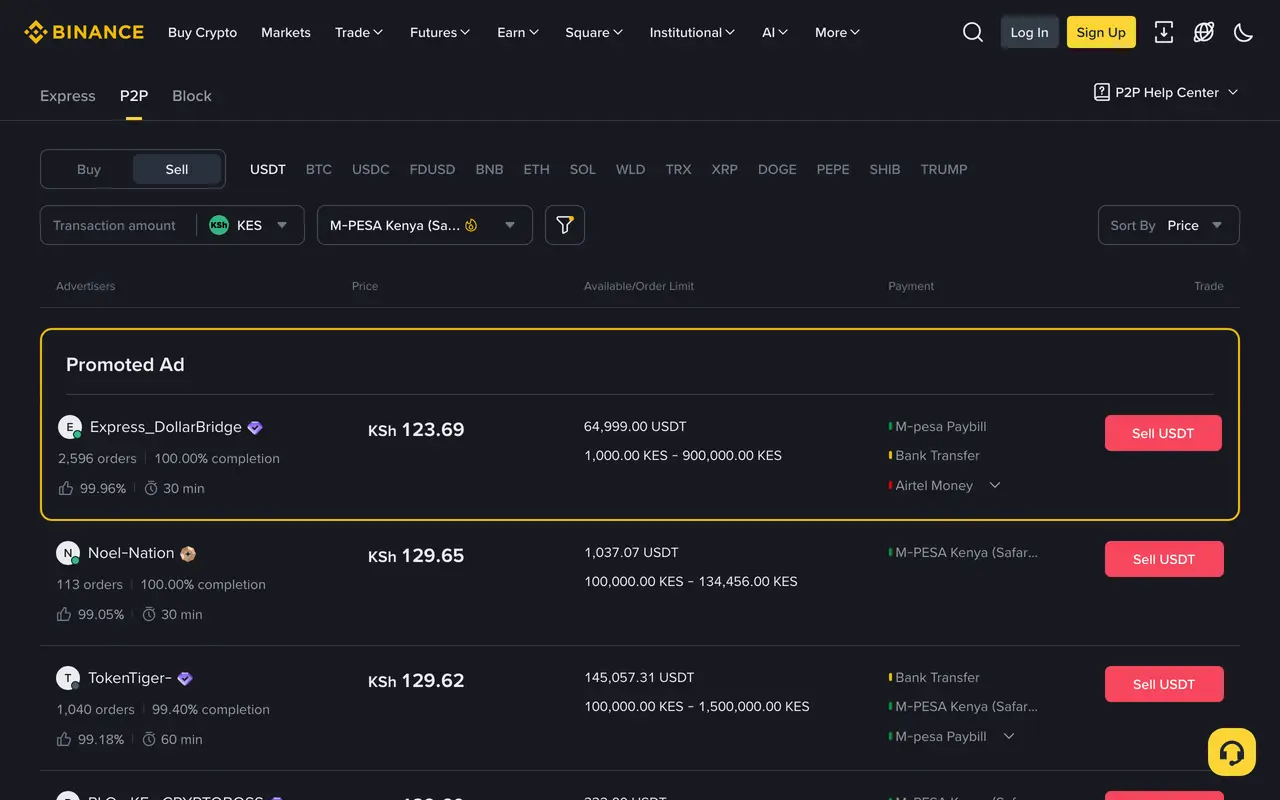
Binance P2P is where I started too. The good part is choice: on 13 Oct 2026 there were 462 ads buying USDT for KES with M-Pesa, and on 20 Oct the best prices sat around 130 KES per USDT.
The hard part is that every trade is a small negotiation. Each buyer sets their own price, minimum and payment window, and you must open M-Pesa yourself to confirm the money arrived before you release. Fake SMS and fake screenshots are a known trick, so I never release from a notification.
Binance P2P at a glance
- Speed
- Set by the buyer, often 15 min
- Minimum
- Set by the buyer
- Deposit network
- Many (BSC, Tron, more)
- Cost
- The buyer's price spread
Why Binance P2P stands out
- Big orders: Buyers take large orders, some up to millions of shillings per ad.
- Escrow: Binance holds your USDT until you confirm the payment arrived.
- Choice: On 13 Oct 2026 there were 462 ads buying USDT for KES with M-Pesa.
Pros
- Buyers for orders worth millions of shillings
- Escrow protects the seller until release
- Works for extremely large amounts in one go
Cons
- You deal with a stranger on every trade
- Each buyer sets a minimum, often KES 1,000 or more
- You must check M-Pesa yourself before releasing; fake payment proof is common
- In April 2026 Kenyan authorities had some Binance accounts frozen, and some users lost access to funds in open trades
3. Best P2P app for small amounts
Bybit P2P: What is it?
Bybit P2P is the peer to peer market inside the Bybit exchange. Like Binance, a buyer sends KES to your M-Pesa and you release the USDT held in escrow.
Why I picked Bybit P2P: Its KES buyers often accept smaller orders than Binance, and Bybit says it charges no P2P trading fee.
Ideal for: Bybit users who want to sell a few thousand shillings at a time and are happy to handle the buyer themselves.
On 20 Oct 2026 Bybit listed 162 ads buying USDT for KES, with minimums as low as KES 150, which makes Bybit friendlier than Binance for small cash-outs. Check that an ad accepts M-Pesa before you sell, since each buyer picks their own payment methods.
The flow is the same P2P routine: pick an ad, wait for the payment, open M-Pesa, release. Some ads say they accept third party payments. I skip those, because a payment from someone other than the buyer is a classic way to get your trade reversed.
Bybit P2P at a glance
- Speed
- 15 or 30 min window
- Minimum
- From about KES 150
- Deposit network
- Check in Bybit
- Cost
- The buyer's price spread
Why Bybit P2P stands out
- Low minimums: KES buyers with minimums as low as KES 150 on 20 Oct 2026.
- No P2P fee: Bybit says P2P trades carry no platform fee.
- Escrow: Your USDT stays locked until you release it.
Pros
- Buyer minimums from about KES 150
- No P2P trading fee, per Bybit
- Escrow until you release
Cons
- Full identity verification before you can trade P2P
- You still deal with a buyer and check every payment yourself
- Some ads accept third party payers, which raises the risk of disputes
4. Best P2P app with clear seller rules
OKX P2P: What is it?
OKX P2P lets you sell USDT to buyers who pay with M-Pesa (Safaricom), and also Airtel Money, Pochi la Biashara or a bank, depending on the ad.
Why I picked OKX P2P: OKX writes down the seller rules plainly: no service fee for P2P, never trust screenshots, and you can appeal five minutes after a buyer marks an order paid.
Ideal for: OKX users who want a P2P market with low minimums and written rules they can lean on if something goes wrong.
On 20 Oct 2026 OKX listed 108 ads buying USDT with M-Pesa, with minimums from KES 100. Prices were a little below Binance and Bybit in my snapshot, so compare before you sell.
What I like is the clarity. The help pages tell you to move the USDT to your funding account, wait for Buyer has paid, check your own M-Pesa, then tap Received. That is still several steps and a stranger on the other side, every time.
OKX P2P at a glance
- Speed
- 15 or 30 min window
- Minimum
- From about KES 100
- Deposit network
- Check in OKX
- Cost
- The buyer's price spread
Why OKX P2P stands out
- Written rules: OKX tells sellers exactly when to release and when to appeal.
- Low minimums: Buyers from about KES 100 on 20 Oct 2026.
- More ways to get paid: Some buyers also pay with Airtel Money, Pochi la Biashara or a bank.
Pros
- Minimums from about KES 100
- No P2P service fee, per OKX
- Clear seller and appeal rules
Cons
- Completed identity verification required
- Some ads pay by bank or Airtel Money, so filter for M-Pesa first
- Every trade still depends on a buyer paying on time
5. Best wallet for Celo stablecoins
MiniPay: What is it?
MiniPay is a stablecoin wallet from Opera on the Celo network. It holds USDT, USDC and cUSD, and each wallet is tied to a phone number.
Why I picked MiniPay: Sending between MiniPay wallets costs less than one cent, and its app store listing names M-Pesa among the ways to withdraw through partners.
Ideal for: People who already get paid in stablecoins on Celo and mostly send small amounts to other MiniPay users.
MiniPay is a nice wallet for moving small amounts between people. For cashing out, though, I could not find a published Kenya partner, limit, rate or arrival time for M-Pesa, only a line saying partners handle fiat and that coverage may vary.
It also lives on Celo. If your USDT sits on BNB Smart Chain or Tron, you first have to move it to Celo, which adds a step and a fee before you even start.
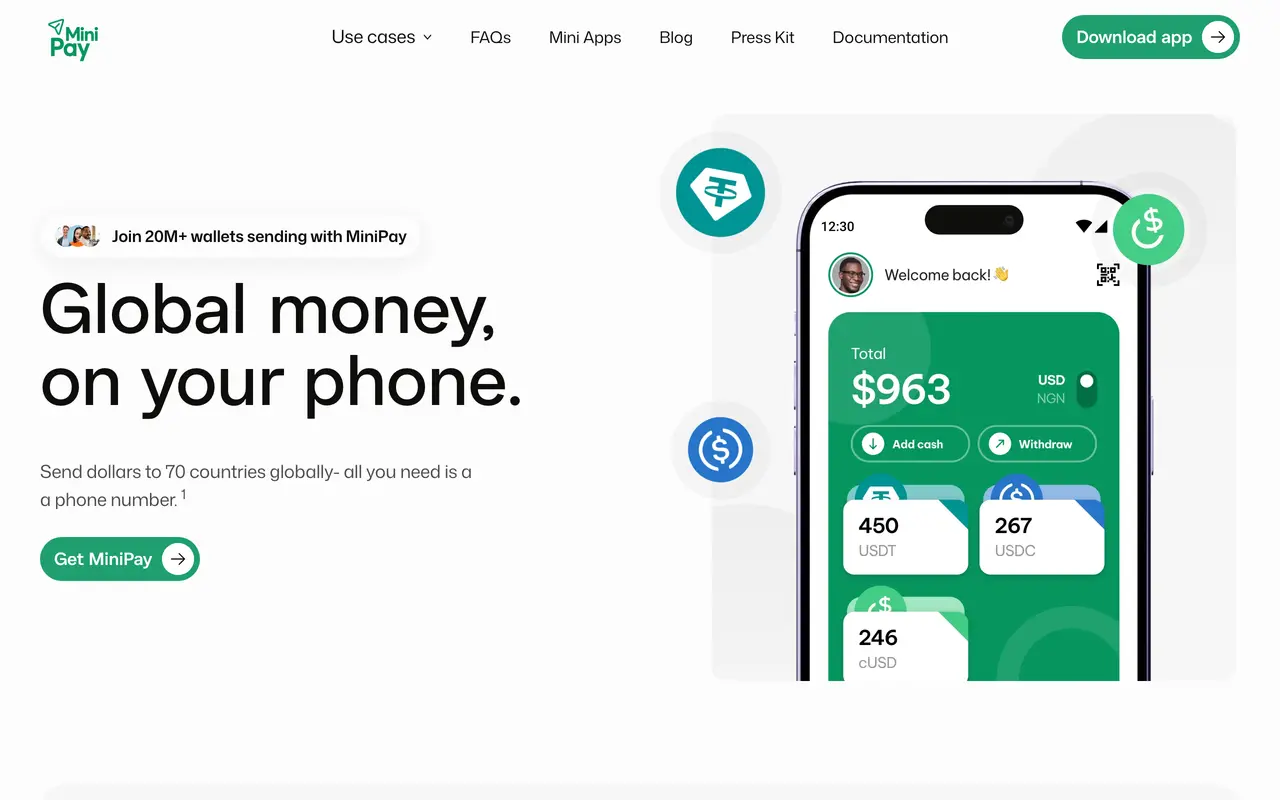
MiniPay at a glance
- Speed
- Not published
- Minimum
- Not published
- Deposit network
- Celo
- Cost
- Set by the partner
Why MiniPay stands out
- Cheap transfers: Sending between MiniPay wallets costs under one cent.
- Phone number wallet: Each wallet is tied to a phone number, which keeps sending simple.
- Several stablecoins: USDT, USDC and cUSD in one place.
Pros
- Transfers between wallets cost under one cent
- Simple phone number wallet
- Holds several stablecoins
Cons
- No published M-Pesa rate, limit or speed for Kenya
- Celo network only, so most exchange USDT needs moving first
- Withdrawals run through third party partners
6. Best M-Pesa payout API for builders
Swypt: What is it?
Swypt is a Kenyan crypto payments company with a wallet, merchant checkout and an API that pays crypto out to an M-Pesa number.
Why I picked Swypt: It is one of the few services built in Kenya that pays M-Pesa directly instead of matching you with a buyer.
Ideal for: Developers and merchants who hold USDT on Celo, Polygon, Lisk or Scroll and want to plug M-Pesa payouts into their own product.
Swypt pays M-Pesa directly, like Dovo, which I respect. Most of what is public is developer documentation, though: limits and charges appear only in sample quotes, and one sample payout in the docs took about three hours from start to finish.
It takes USDT on networks like Celo, Polygon, Lisk and Scroll rather than BNB Smart Chain or Tron, so check where your USDT sits before you send anything.
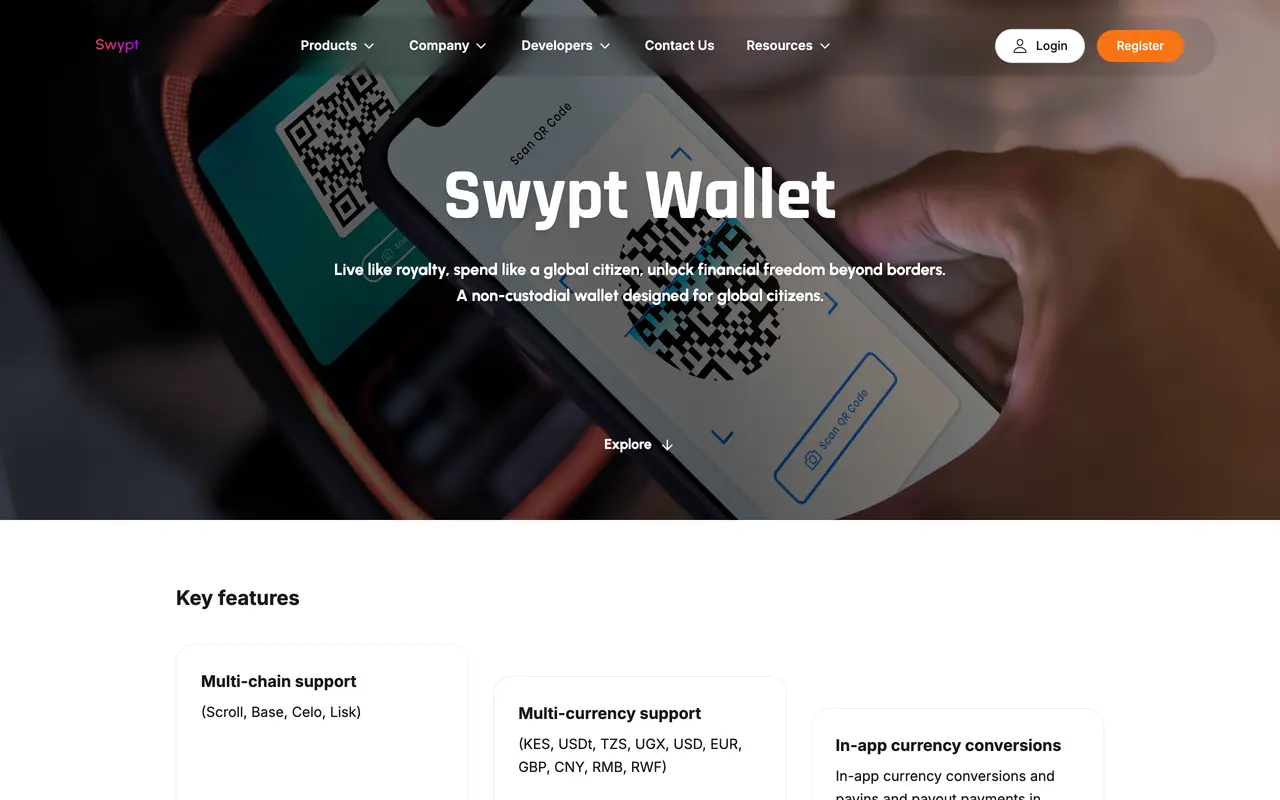
Swypt at a glance
- Speed
- Not published
- Minimum
- Shown per quote
- Deposit network
- Celo, Polygon, more
- Cost
- Shown per quote
Why Swypt stands out
- Direct payout: Crypto goes to Swypt's escrow and KES goes to an M-Pesa number.
- Built in Kenya: A Kenyan team focused on M-Pesa payouts.
- Quote first: Each quote shows its charge before you send.
Pros
- Direct payout, no buyer
- Kenyan team focused on M-Pesa
- Each quote shows its charge
Cons
- Built mainly for developers and merchants
- No published fee schedule or arrival time
- Networks most exchanges use for withdrawals are not listed
How to choose the right app
Before you pick, look at how you actually get paid. Most people fall into one of a few patterns, and the right app follows from it:
- Small and frequent payments: pick an app with a low minimum and no buyer, so a 10 USDT payment is as easy to move as 200.
- Extremely large amounts: a deep P2P market gives you buyers for orders worth millions of shillings.
- Your time: count the minutes per cash-out. A direct payout saves the wait, the checks and the chat.
- The network you hold: match the app to the network your USDT is on (BEP-20, TRC-20 or another) before you send anything.
- Safety: prefer apps where you never release crypto on the strength of an SMS or a screenshot.
Which app should you choose?
The best app is the one that removes the part that slows you down today. Here is a quick way to decide:
Choose Dovo if you:
- Want KES on M-Pesa fast, usually in under 2 minutes, without dealing with a buyer
- Cash out small or regular payments, from 2 USDT
- Want the exact amount on screen before you confirm
- Also buy airtime or pay bills from your USDT
Choose Binance P2P if you:
- Already hold your USDT on Binance
- Move extremely large amounts in one trade
- Are comfortable checking payments and releasing crypto yourself
Choose Bybit P2P if you:
- Already trade on Bybit
- Sell a few thousand shillings at a time
- Want P2P with low buyer minimums
Choose OKX P2P if you:
- Already hold USDT on OKX
- Want written release and appeal rules
- Sometimes get paid to Airtel Money or a bank too
Choose MiniPay if you:
- Already hold stablecoins on Celo
- Mostly send small amounts to other MiniPay users
- Do not need a published M-Pesa rate
Choose Swypt if you:
- Are a developer or merchant
- Hold USDT on Celo, Polygon, Lisk or Scroll
- Want to build M-Pesa payouts into your own app
Where Dovo fits
Most of these apps are exchanges first. Cashing out to M-Pesa is one feature among hundreds, and it usually means trading with another person.
Dovo does one job: it takes your USDT and pays your M-Pesa. No order book, no buyer, no release button. You see the rate and the exact shillings before you confirm, and the money usually lands in less than 2 minutes.
If you keep large balances on an exchange, keep using it for trading. When you want the shillings on your phone, send the USDT to Dovo and cash out.
Frequently asked questions
What is the best app to cash out USDT to M-Pesa in Kenya?
For speed and simplicity, Dovo: it pays your M-Pesa directly, usually in less than 2 minutes, from 2 USDT. For extremely large amounts, Binance P2P buyers take orders worth millions of shillings. Bybit and OKX P2P suit small P2P orders.
Can I withdraw USDT directly to M-Pesa?
Not from most exchanges. They let you sell to a buyer who pays your M-Pesa (P2P). Dovo pays M-Pesa directly: you send USDT on BNB Smart Chain (BEP-20) and cash out to your number.
What is the fastest way to convert USDT to KES on M-Pesa?
A direct payout. With Dovo the shillings usually arrive in less than 2 minutes. On P2P the time depends on the buyer, and payment windows of 15 minutes or more are common.
What is the minimum to cash out USDT to M-Pesa?
On Dovo the minimum cash-out is 2 USDT. On P2P each buyer sets a minimum: on 20 Oct 2026 the lowest we saw was KES 1,000 on Binance, about KES 150 on Bybit and KES 100 on OKX.
Which USDT network should I use?
Use the network the receiving app supports. Dovo takes USDT on BNB Smart Chain (BEP-20) only; from Binance, pick the BSC (BEP20) network. Sending on another network can lose your funds.
Is P2P safe for selling USDT in Kenya?
It can be if you are careful. Only release your USDT after you see the full amount in your own M-Pesa app, never from an SMS or a screenshot, and keep the chat inside the exchange.
How much does it cost to cash out USDT to M-Pesa?
Most apps build the cost into the rate rather than a separate fee. Compare the shillings that actually land on M-Pesa for the same USDT amount. Dovo shows that number before you confirm.
Is Yellow Card or Paxful still a good way to sell USDT in Kenya?
No. Yellow Card closed its retail app at the end of 2025 to focus on businesses, and Paxful shut down in late 2025. Use one of the apps ranked above instead.
Can I cash out USDT to Airtel Money?
Dovo pays M-Pesa only, on Safaricom numbers. On OKX P2P some buyers pay with Airtel Money; check the payment methods on each ad.
Share this post


About the editorial team